Lidia Commerce Documentation
The Finance Management section is the financial management area where sellers can track earnings, deductions, and payment processes related to their sales on the platform end to end. This section, specifically designed for the seller panel, allows sellers to transparently view how revenues are generated, which deductions are applied, and when net payment amounts will be transferred to their accounts. Through this area, sellers can analyze their company’s financial status, review past payments, and plan cash flow.
The Accruals section is the main financial screen where sellers can view the net accrual amounts obtained from sold products together with all financial deductions taken into account during calculation. This page allows sellers to review both current period accruals and payments from previous periods.
The Accrual Information template contains the seller’s core payout and accrual definitions. This section includes:
These details ensure that payment processes proceed accurately and consistently.
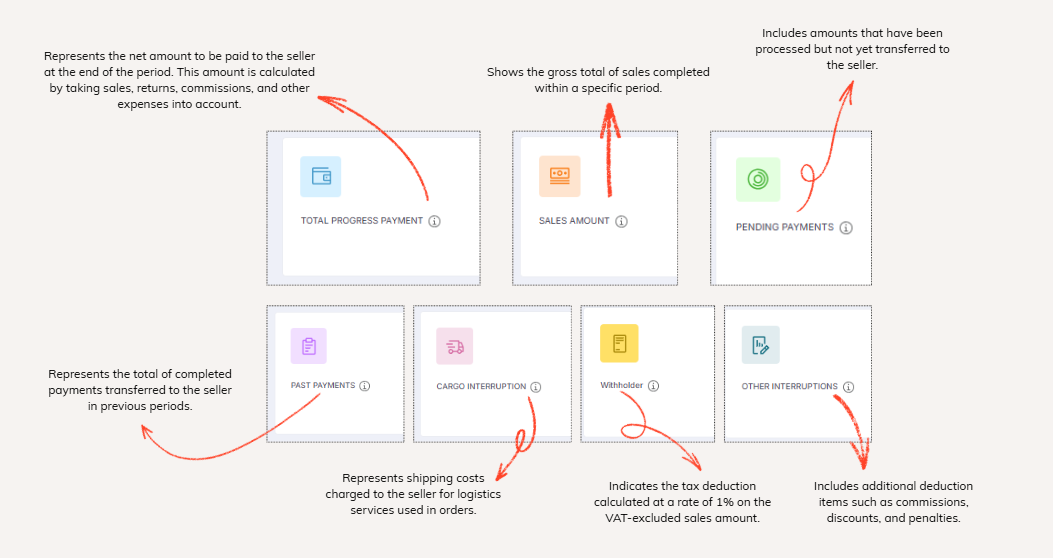
A secondary template displays a financial summary for the accrual period:
TOTAL PROGRESS PAYMENT: Represents the net amount to be paid to the seller at the end of the period. This amount is calculated by taking sales, returns, commissions, and other expenses into account.
SALES AMOUNT: Shows the gross total of sales completed within a specific period.
PENDING PAYMENTS: Includes amounts that have been processed but not yet transferred to the seller.
PAST PAYMENTS: Represents the total of completed payments transferred to the seller in previous periods.
CARGO INTERRUPTION: Represents shipping costs charged to the seller for logistics services used in orders.
WITHOLDER: Indicates the tax deduction calculated at a rate of 1% on the VAT-excluded sales amount.
OTHER INTERRUPTIONS: Includes additional deduction items such as commissions, discounts, and penalties.
This summary structure allows sellers to analyze their income–expense balance from a single screen.
The list displayed in the lower section of the page presents period-based accrual details. This list includes the following columns:
Accrual Period, Estimated Payment Date, Accrual Amount, Deduction Amount, Net Accrual Amount.
This list is provided to enable sellers to track how much accrual was generated in each period, which deductions were applied, and when the payment will be made, on a period-by-period basis.
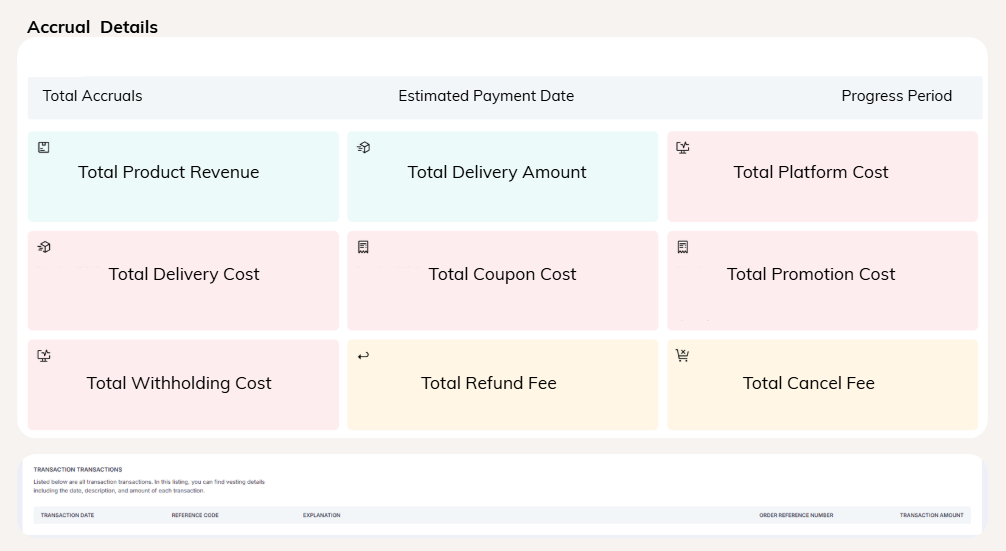
Each listed accrual record can be reviewed in detail and documented individually. When navigating to the accrual detail screen, all metrics used in the accrual calculation, together with their values and explanations, are displayed.
The information shown on this screen includes:
Calculation Details:
Transaction Movements
At the bottom of the accrual detail page, the Transaction Movements section lists all financial transactions affecting the accrual calculation. For each transaction, the following information is displayed: transaction date, description, and amount. This structure provides step-by-step visibility into how the accrual amount was calculated.