
Lidia Commerce Documentation
The Catalog module is the central workspace in Lidia PIM where product information is created, managed, enriched, and published.
Throughout the product lifecycle, all catalog-related operations are managed within this module. Users can create products, manage categories and trademarks, maintain product variants, and keep published catalog data up to date.
The Catalog module consists of the following sections:
Each section is designed to manage a specific stage of the catalog management process.

Pools are the primary workspace where products are initially created and prepared before publication.
New products are created in the Pools section. Products can be added individually or imported in bulk using Excel.
From this page, users can:
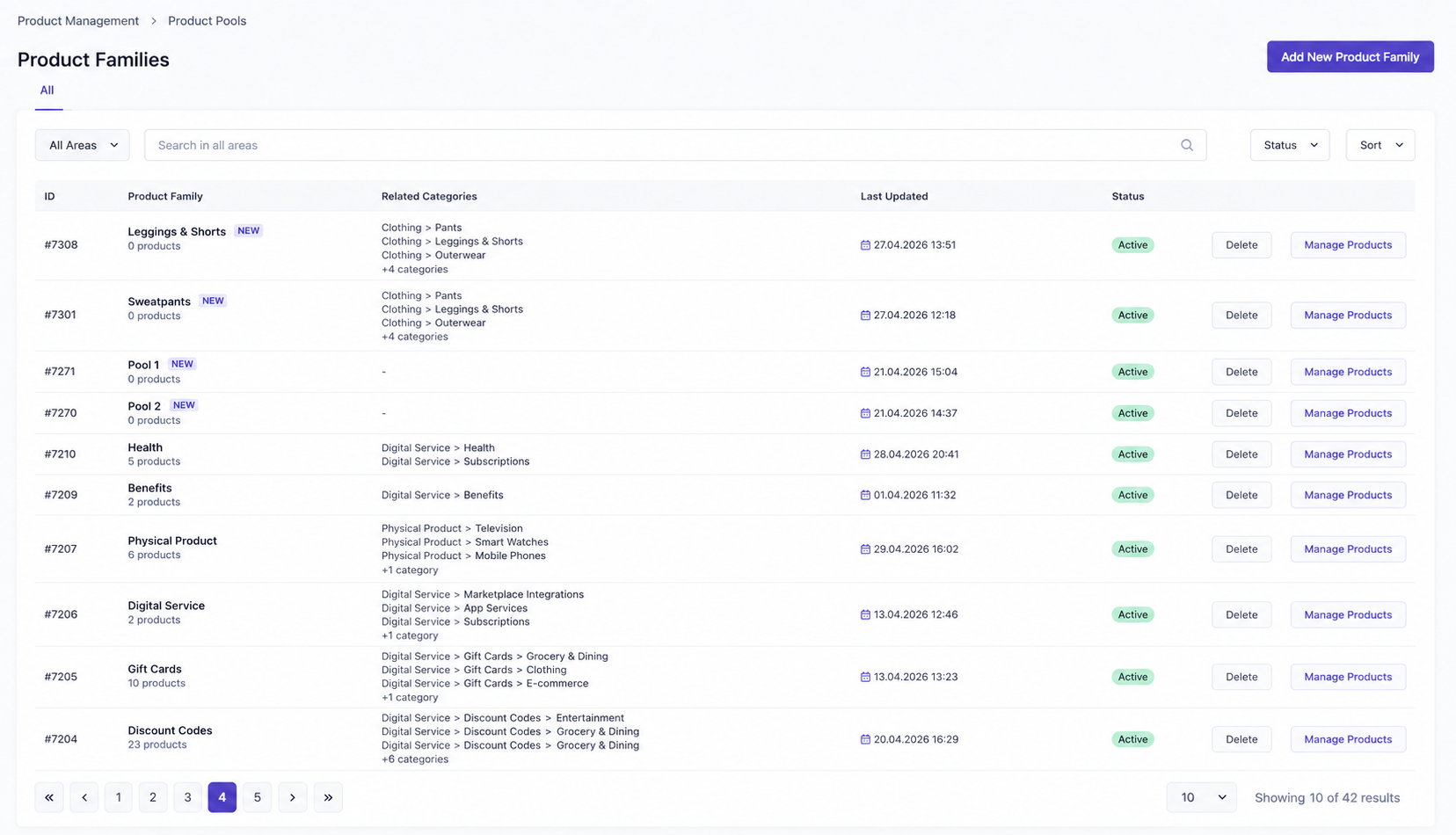
Pools serve as the main workspace for product preparation and data enrichment.
The Categories section is used to build and manage the product category hierarchy.
Categories determine where products will appear across sales channels and help organize the catalog structure.
From this page, users can:
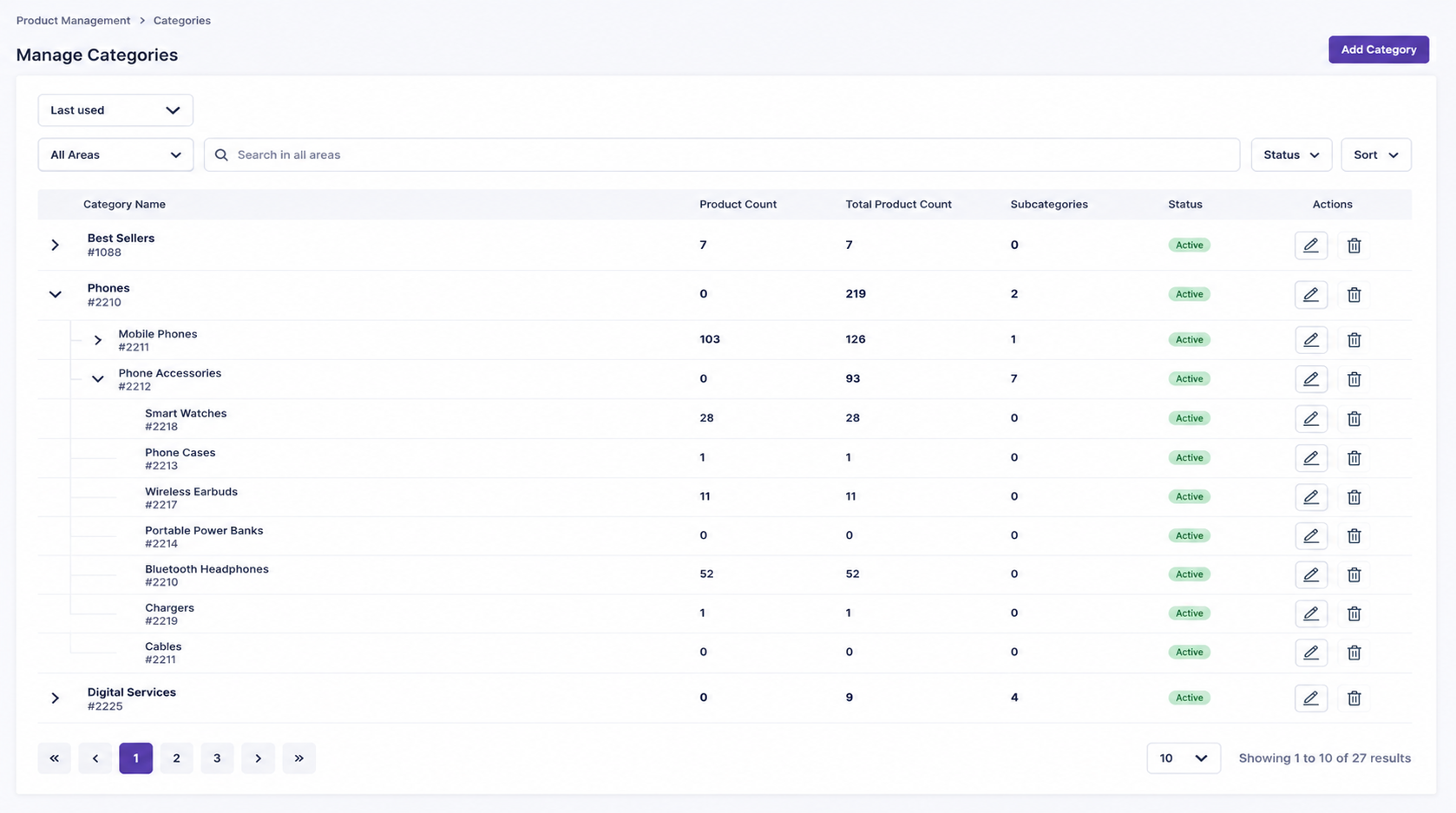
The Trademarks section centrally manages all brands used throughout the product catalog.
All product brands are created and maintained from this page.
From this page, users can:
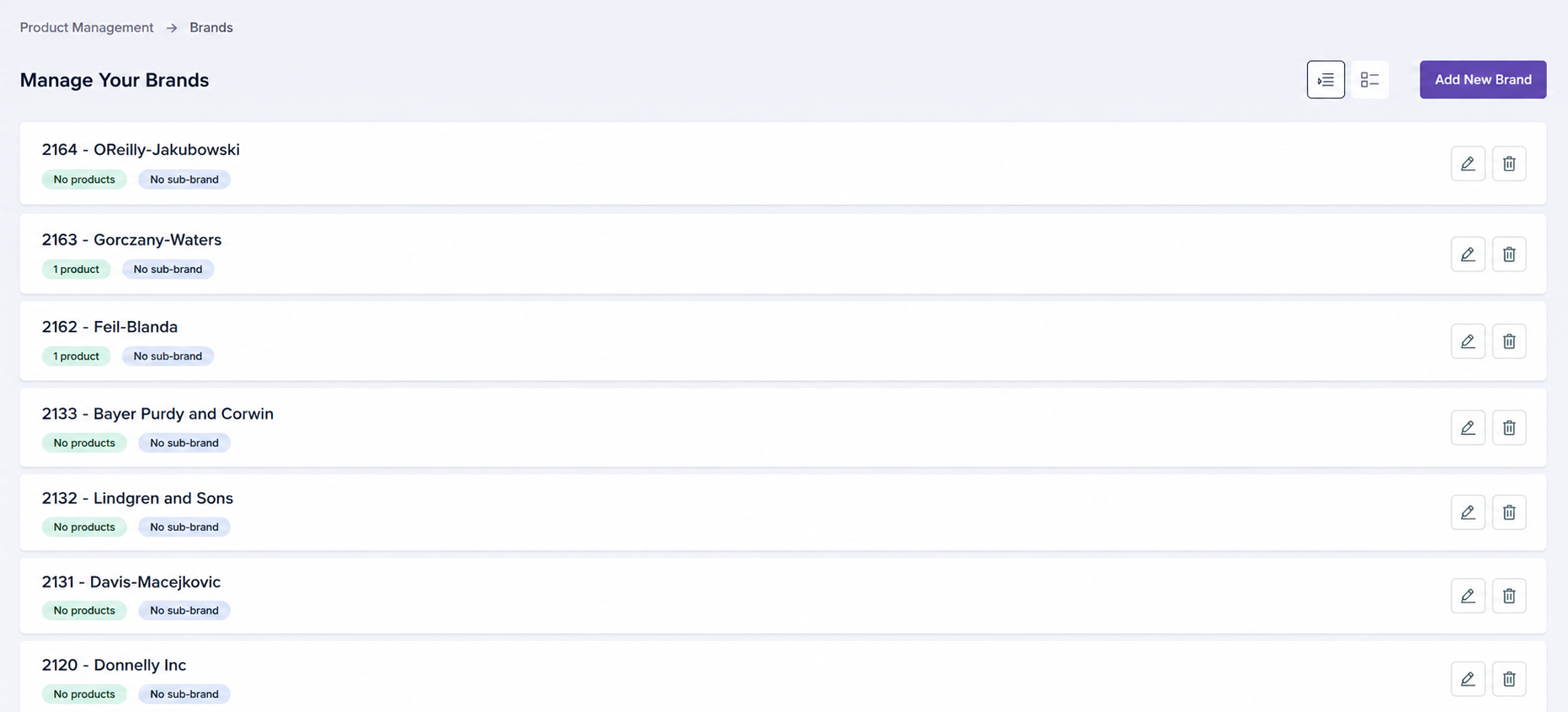
Custom Lists allow users to group selected products according to specific business or operational needs.
Custom Lists do not modify the underlying product data. Instead, they provide a flexible way to organize and manage selected product groups.
From this page, users can:
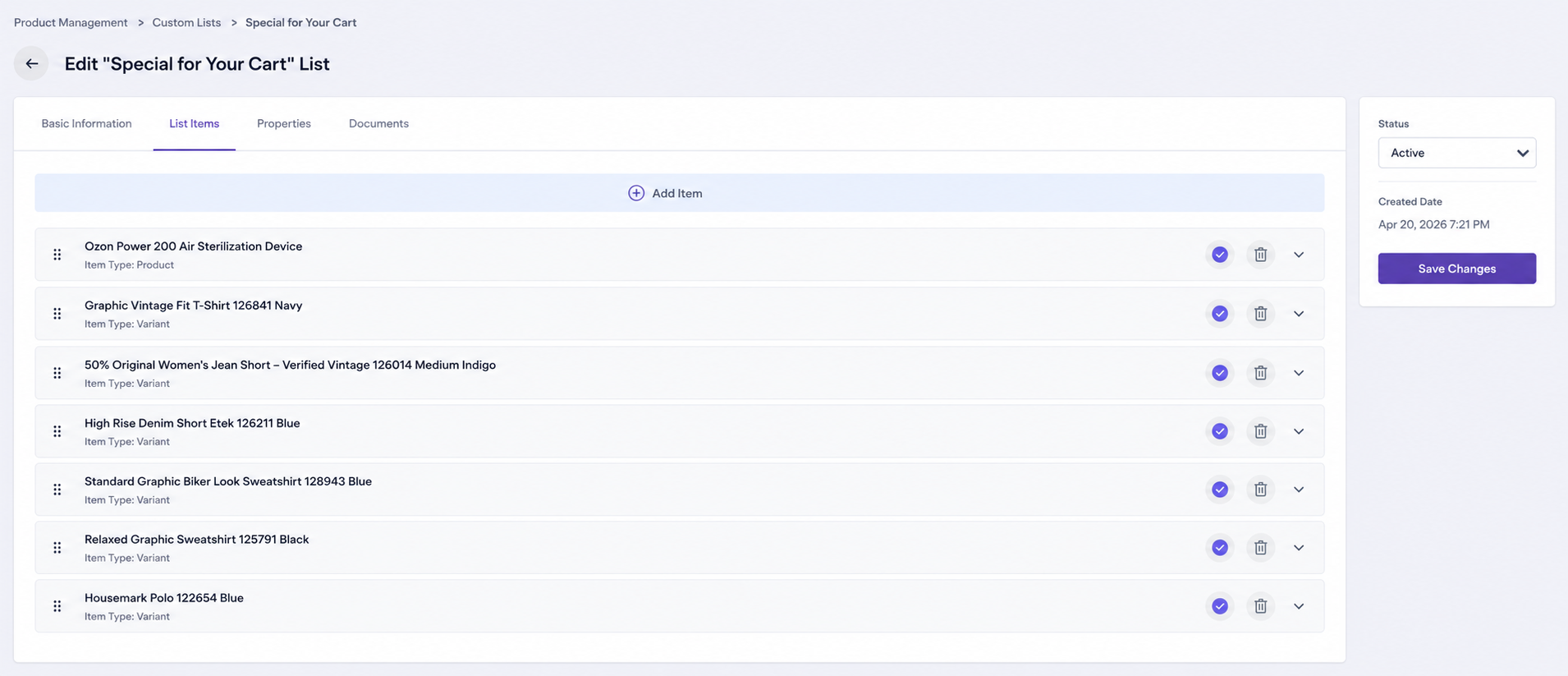
Custom Lists make it easier to manage campaign products, selected product groups, seasonal selections, or products that need to be monitored together for internal operations.
The Products section is the central area where published products are viewed and managed.
New products cannot be created from this page. Products are first created in Pools and become available in the Products section after they are published.
From this page, users can:
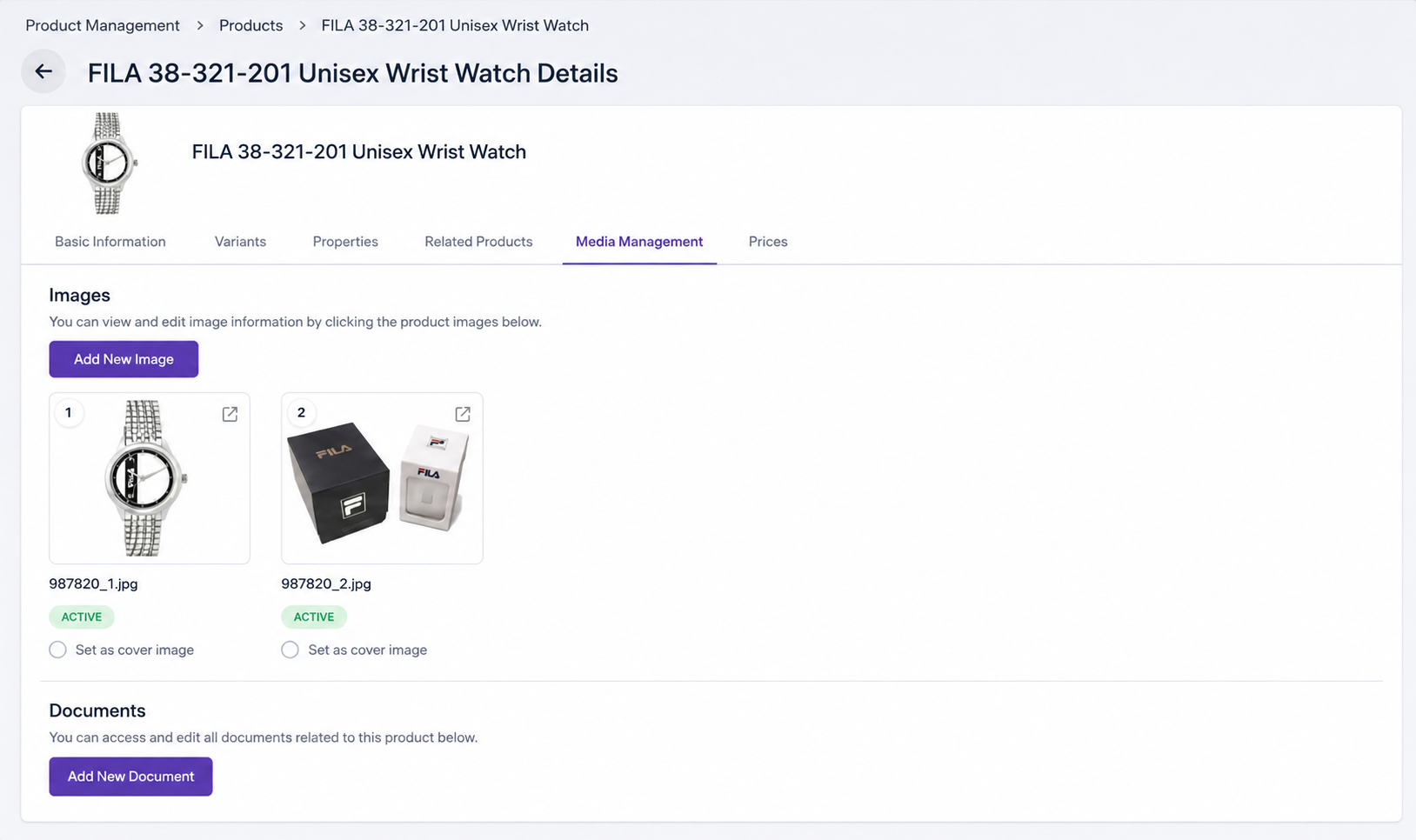
The Products page is the primary interface for managing live catalog data.
The Variants section is the central workspace for managing published product variants.
Variants represent different sellable versions of a product, such as different colors, sizes, materials, or other option combinations.
From this page, users can:
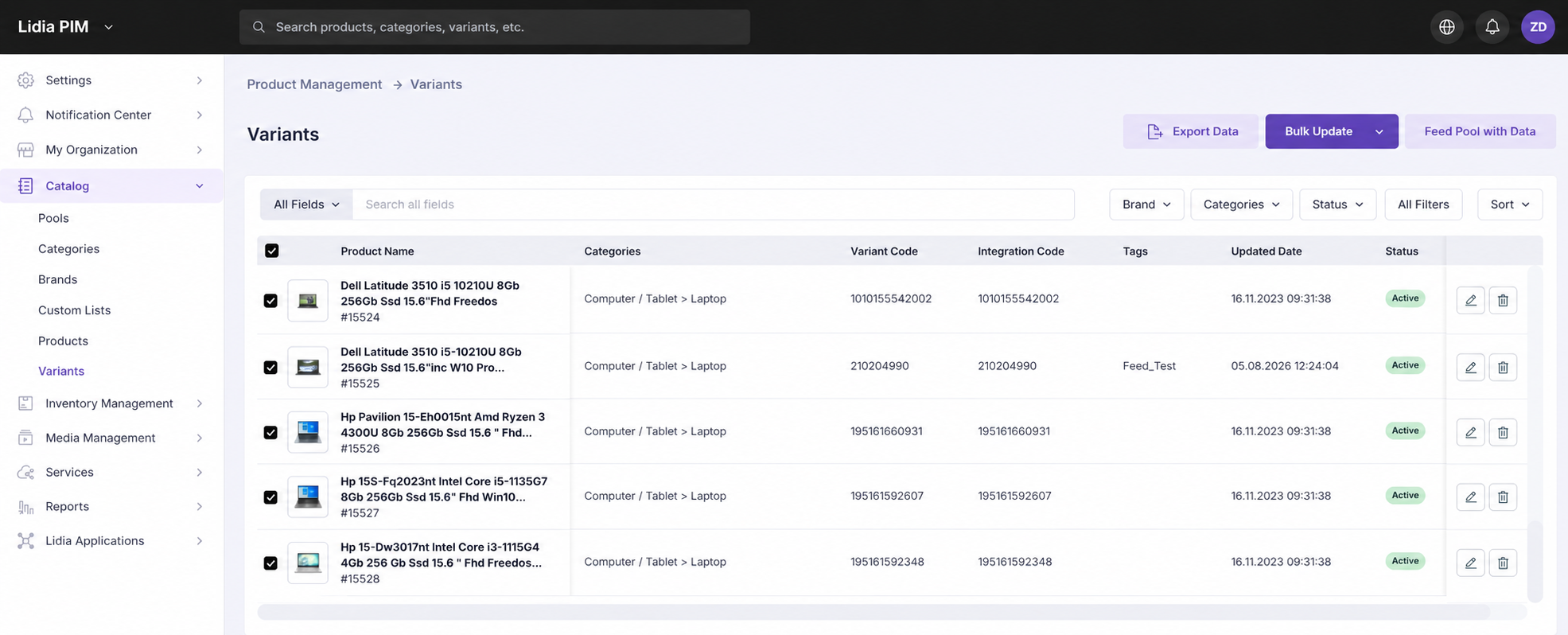
The Variants page provides centralized management of all product variations within the catalog.