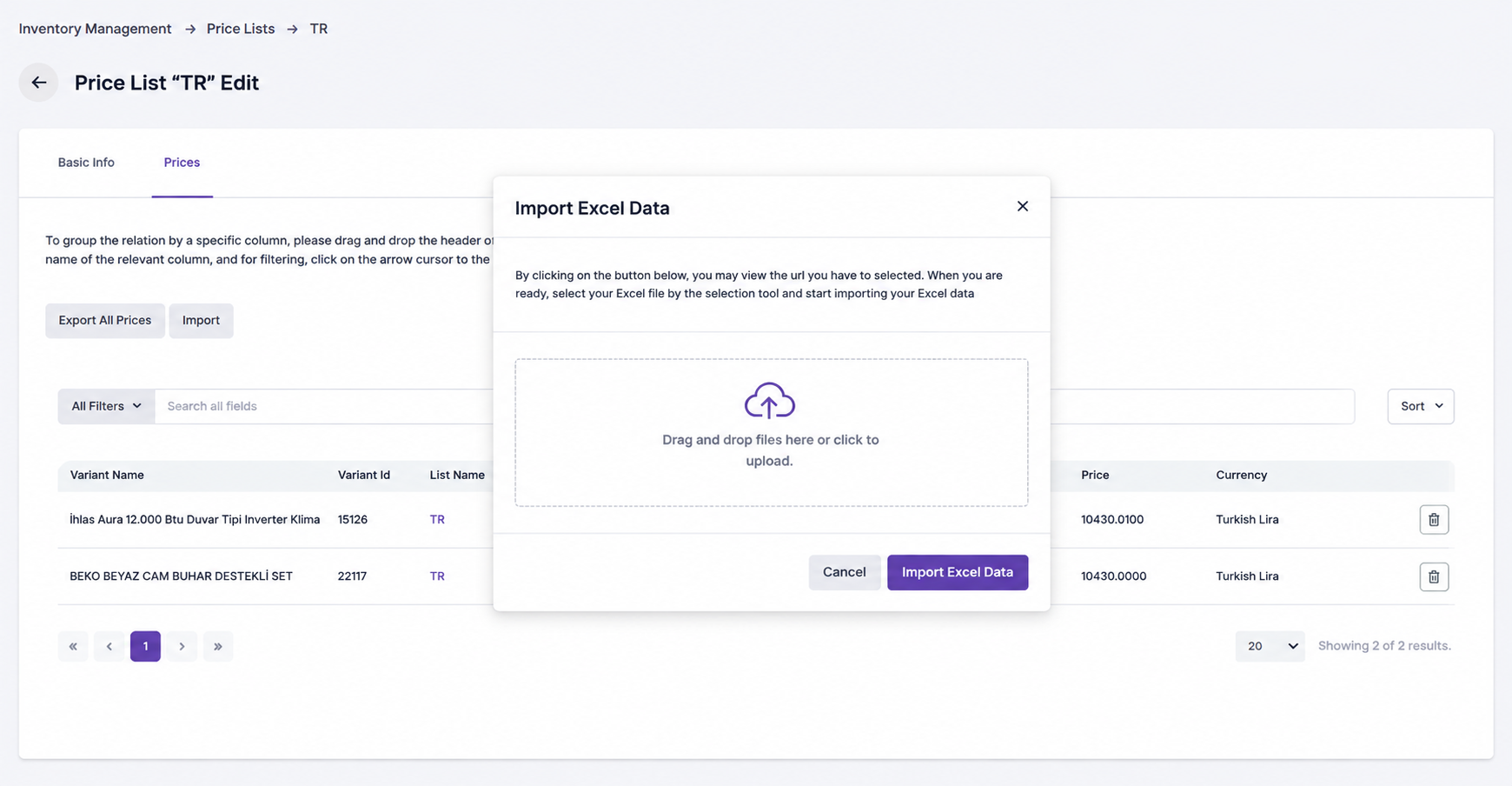
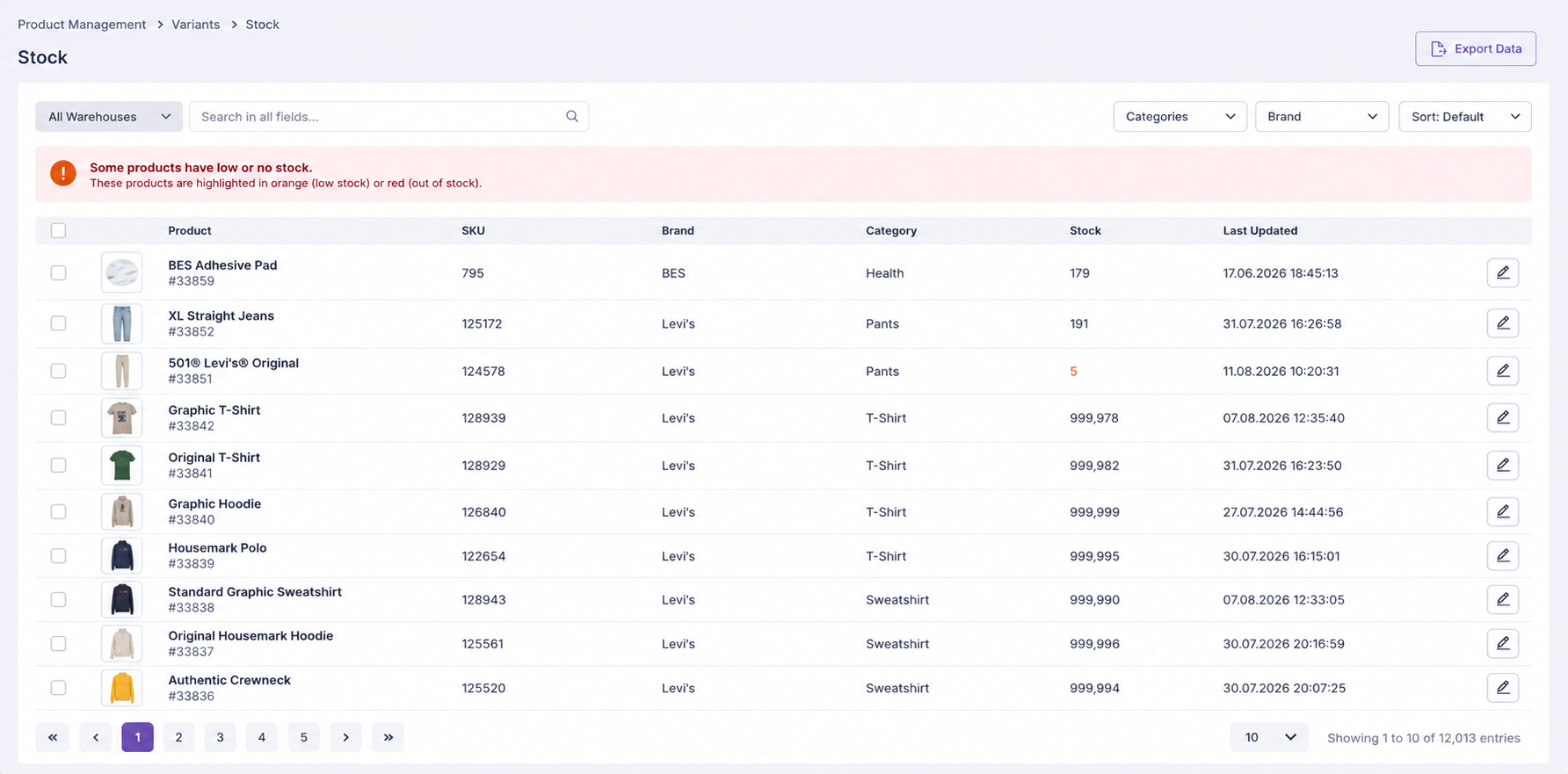
The Inventory Management section in Lidia PIM is used to manage product pricing and stock information in a centralized structure.
This section enables users to maintain price lists for products and variants, monitor current stock quantities, and update inventory values when required.
Inventory Management consists of two main areas:
Price Lists
Stocks
Price Lists
The Price Lists page is used to view and manage the
pricing lists defined in the system.
Price lists provide a structured way to maintain pricing information
for products and variants. Each price list can be identified through
its name, code, status, and unique identifier.
From this page, users can:
View existing price lists.
Create and update price lists.
Delete price lists when applicable.
Review pricing information associated with products and variants.
Filter, sort, and group price lists.
Monitor whether a price list is active or inactive.
Each price list includes key information such as:
List ID – Unique identifier of the price list.
Name – Descriptive name of the price list.
Code – Short code used to identify the price list.
Status – Indicates whether the price list is
active or inactive.
The Price Lists page helps users manage different pricing structures
in a consistent and organized way across the product catalog.
Stocks
The Stocks page provides a centralized view of stock
information for all products and variants available in the system.
Products and variants are listed together with their current stock
quantities, allowing users to monitor and update inventory information
directly from this page.
From this page, users can:
View stock information for products and variants.
Enter stock quantities.
Update existing stock quantities.
Search and filter inventory records.
Monitor products and variants with low stock levels.
When the stock quantity of a product or variant falls below
10 units, Lidia PIM displays a warning to inform
the user that there are products with low stock levels. This helps
users identify products that may require inventory attention and
supports more proactive stock management.