The Digital Asset Management (DAM) section in Lidia PIM provides a centralized environment for managing images, videos, files, and other digital content used throughout product and catalog operations.
With DAM, users can store, organize, upload, search, and manage digital assets from a single location. This enables product content to be maintained in a more structured, accessible, and consistent way across teams and operational processes.
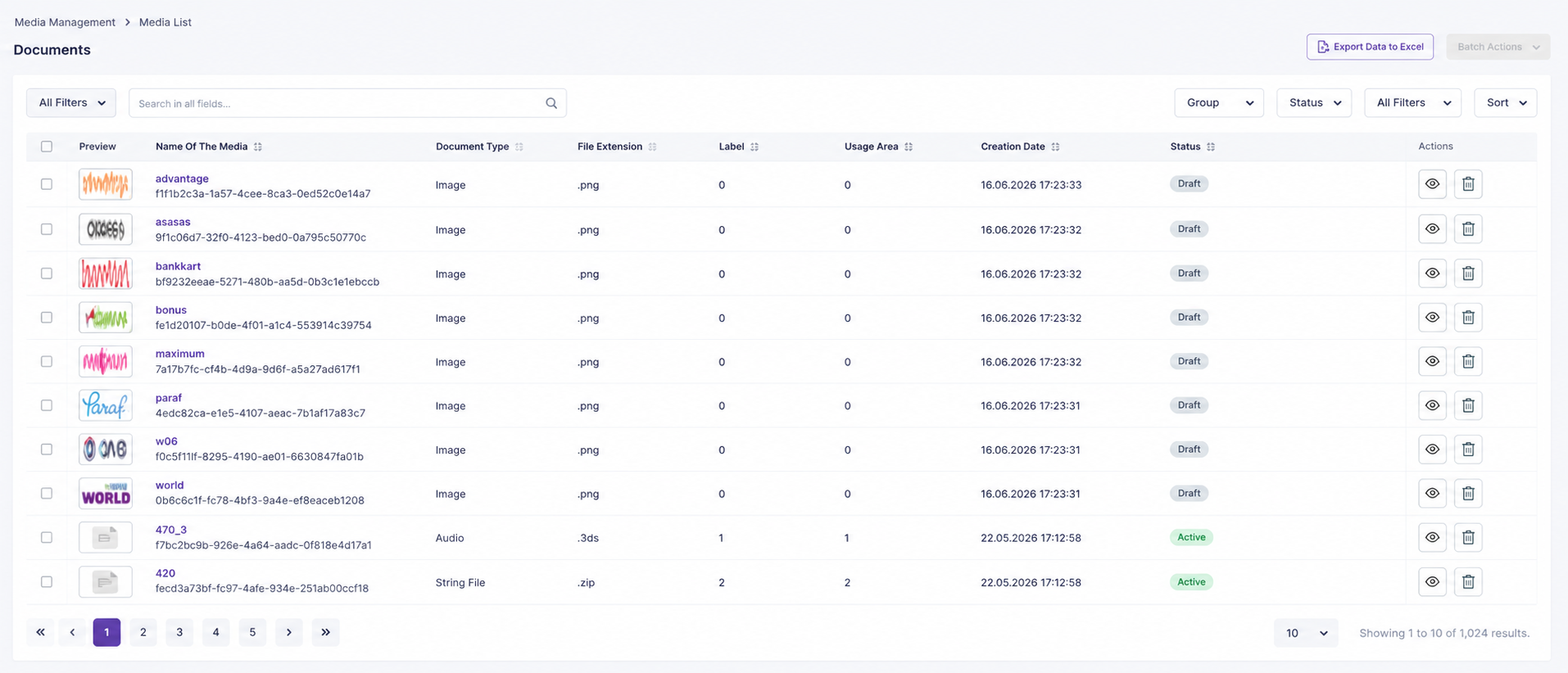
Media List
The Media List is the main workspace where digital assets
available in the system can be centrally viewed and managed.
Users can access different types of media records from a single list,
search and filter them, and perform the necessary management actions.
View media records available in the system.
Search and filter media records.
Review media details.
Manage media information.
Perform bulk actions on multiple media records.
Download selected media records in bulk.
Delete media records when required.
The Media List serves as the central management workspace for digital
assets within Lidia PIM.
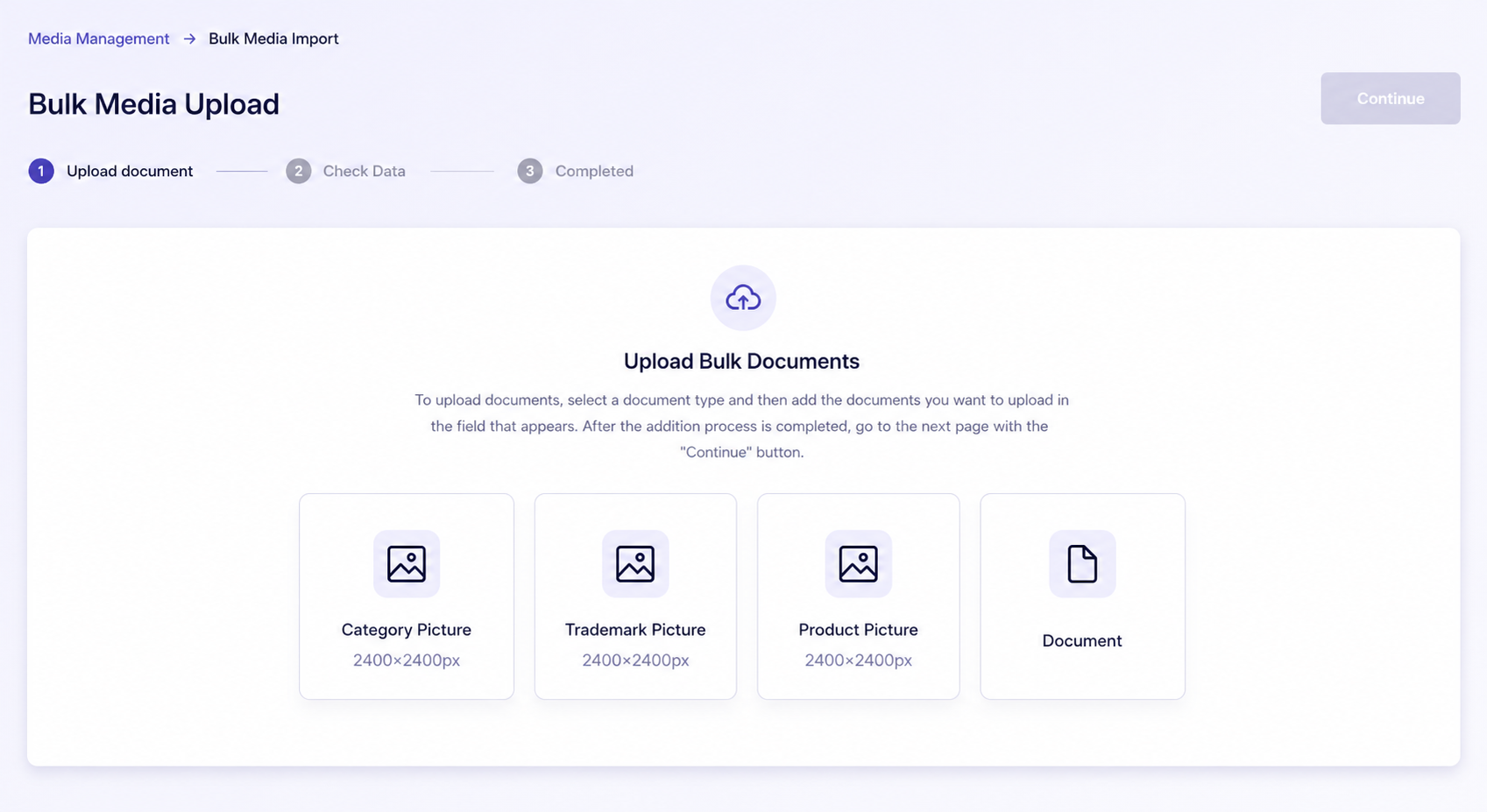
Bulk Media Import
The Bulk Media Import section allows users to upload
multiple images, videos, or files to Lidia PIM at once.
This capability is particularly useful for large product catalogs and
operations involving high volumes of digital assets, helping reduce
repetitive manual work.
Upload multiple media files simultaneously.
Import images, videos, and documents.
Review the files during the upload process.
Track the result of bulk upload operations.
Identify invalid or unsuccessful records.
File type, format, and other applicable validation rules help ensure that
digital assets are imported into the system in a controlled manner.
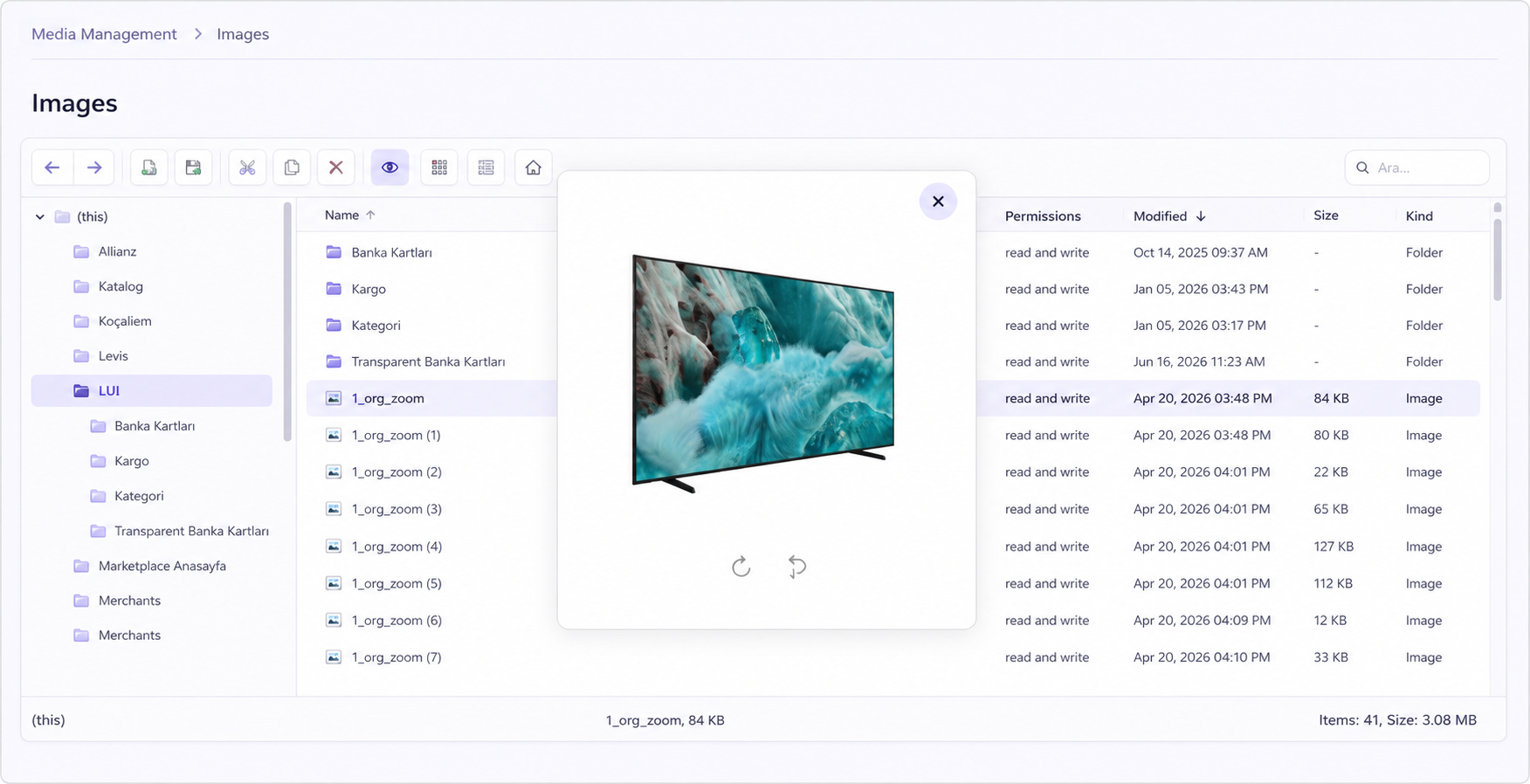
Images
The Images page is used to view and manage image assets
stored in Lidia PIM.
Product photography, category visuals, brand logos, and other visual
content can be stored and organized through this section.
View images available in the system.
Upload new images.
Review image information.
Search and filter images.
Organize images using folders and manage folder structures.
Rename image files.
Delete images when required.
Centralized image management and folder-based organization make large
media libraries easier to maintain and access.
Files
The Files page is used to manage documents and other file
types used throughout product and catalog operations.
PDFs, product sheets, user manuals, technical documents, and similar
content can be stored and managed through this section.
View existing files and upload new files.
Review file information.
Search and filter files.
Organize files using folders and manage folder structures.
Rename files.
Delete existing files when required.
Product-related documents and digital files can be maintained in a
centralized, organized, and easily accessible environment.
Videos
The Videos page provides a centralized area for viewing
and managing video content stored in Lidia PIM.
Product introduction videos, instructional videos, training content, and
other supporting video assets can be managed through this section.
View videos available in the system.
Upload new video files.
Review video information.
Search and filter videos.
Organize videos using folders and manage folder structures.
Rename video files.
Delete video records when required.
Video content can be organized and centrally managed alongside other
digital assets within Lidia PIM.
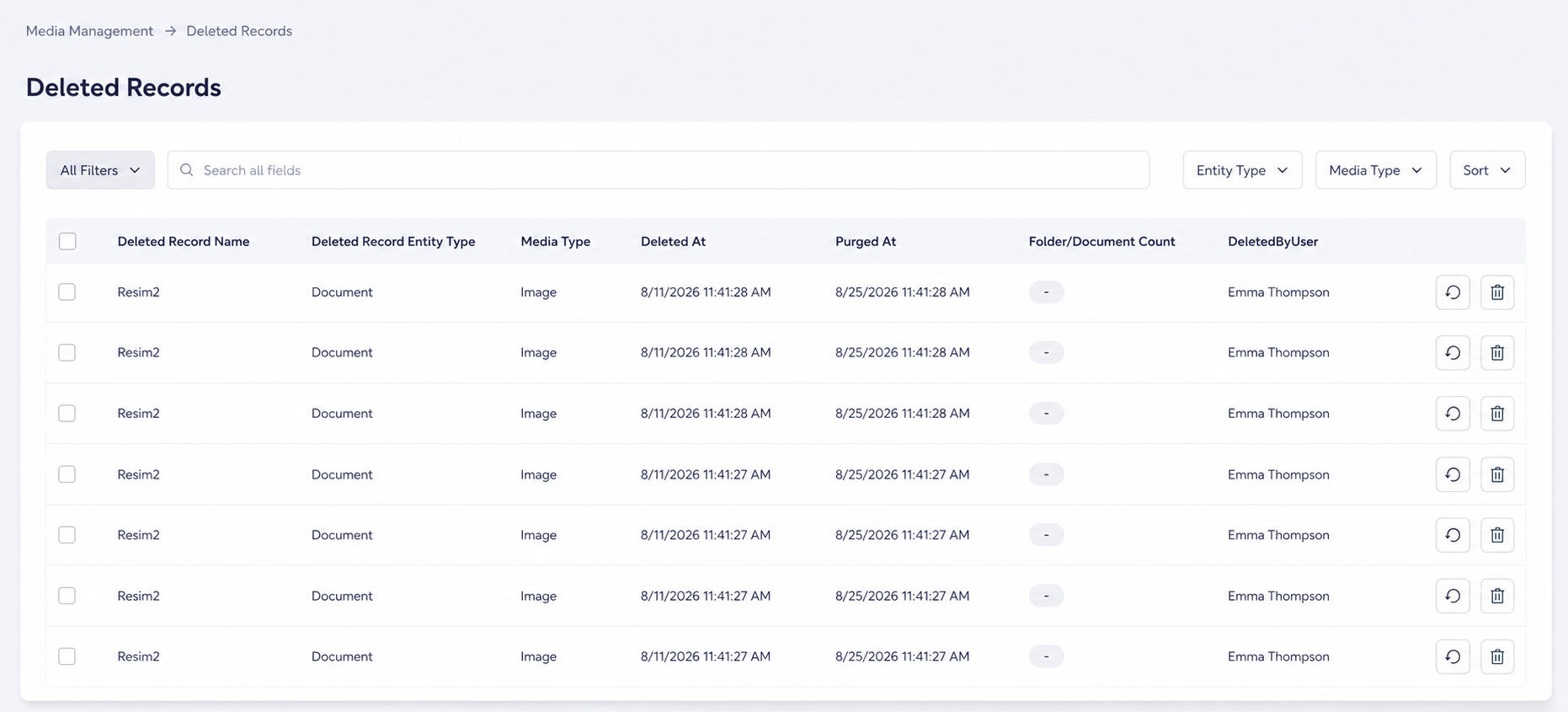
Deleted Records
The Deleted Records page is the area where deleted images
and files are temporarily retained.
When a media record is deleted in Lidia PIM, it is moved to the
Deleted Records section instead of being permanently
removed immediately.
View deleted media records.
See which user deleted a record.
Restore a deleted record.
Permanently delete a record.
When restored, the record returns to the relevant area and location where
it was stored before deletion.
14
DAYS
Deleted records are retained in the system for
14 days. At the end of this period, the record is
automatically and permanently deleted by Lidia PIM.
This structure provides additional protection against accidental deletion
and supports a controlled recovery process.