Catalog Data Quality
Provides an overview of the quality of product data, highlighting missing, incomplete, or inconsistent information that may require attention to ensure better data accuracy and consistency.

Lidia PIM is a centralized Product Information Management platform designed to help organizations manage, enrich, and distribute product information from a single system.
After signing in, users are directed to the Homepage, where they can access the platform, monitor product information, navigate between modules, and manage their personal account and organization settings.The homepage serves as the central starting point for all product information management activities within Lidia PIM.
The homepage is the first screen encountered when logging into Lidia PIM. On this screen, management processes can be performed from the left menu, account information and organizations can be viewed, and the language can be changed.
This structure provides users with a comprehensive view of their product information and its distribution, ensuring more efficient, structured, and accurate product data management across the organization.
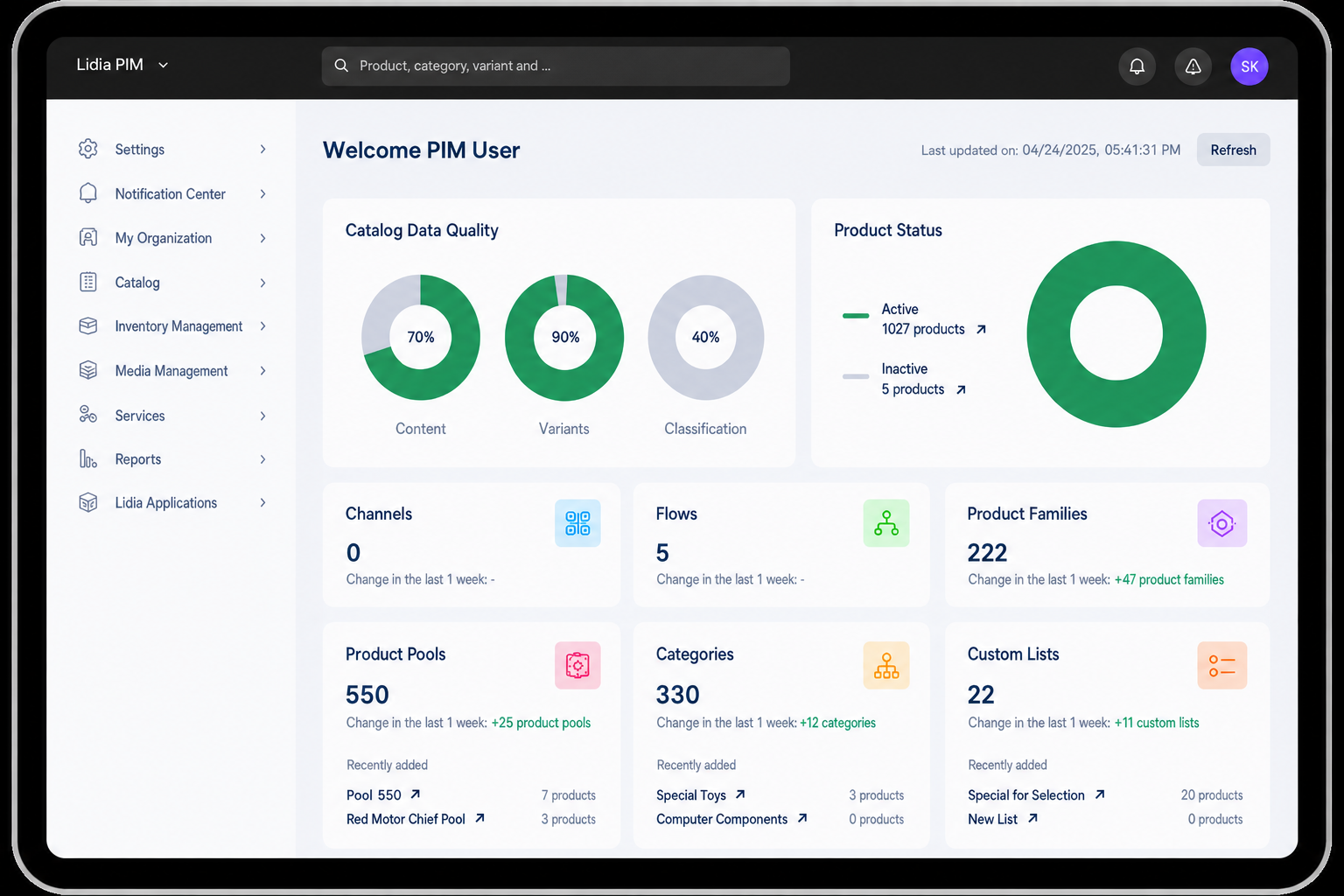
Provides an overview of the quality of product data, highlighting missing, incomplete, or inconsistent information that may require attention to ensure better data accuracy and consistency.
Displays the current state of products within the system, such as draft, pending approval, published, or inactive, helping users track the progress of product information management.
Organizes products into predefined groups based on shared attributes and characteristics, enabling more efficient management of similar product types.
Represents collections of product data that can be processed, enriched, and published to various channels, helping manage product information before distribution.
Defines the hierarchical structure of the product catalog, allowing products to be organized into logical groups based on industry standards or company-specific classifications.
Allows users to create and manage personalized product groupings based on specific criteria, enabling better segmentation and filtering of product data.
Manages registered brand names and logos associated with products, ensuring accurate brand representation across various sales and marketing channels.
Handles the distribution of product data to external platforms such as e-commerce websites, marketplaces, and third-party systems . Users can configure channels and set up feeds to automate data exports.
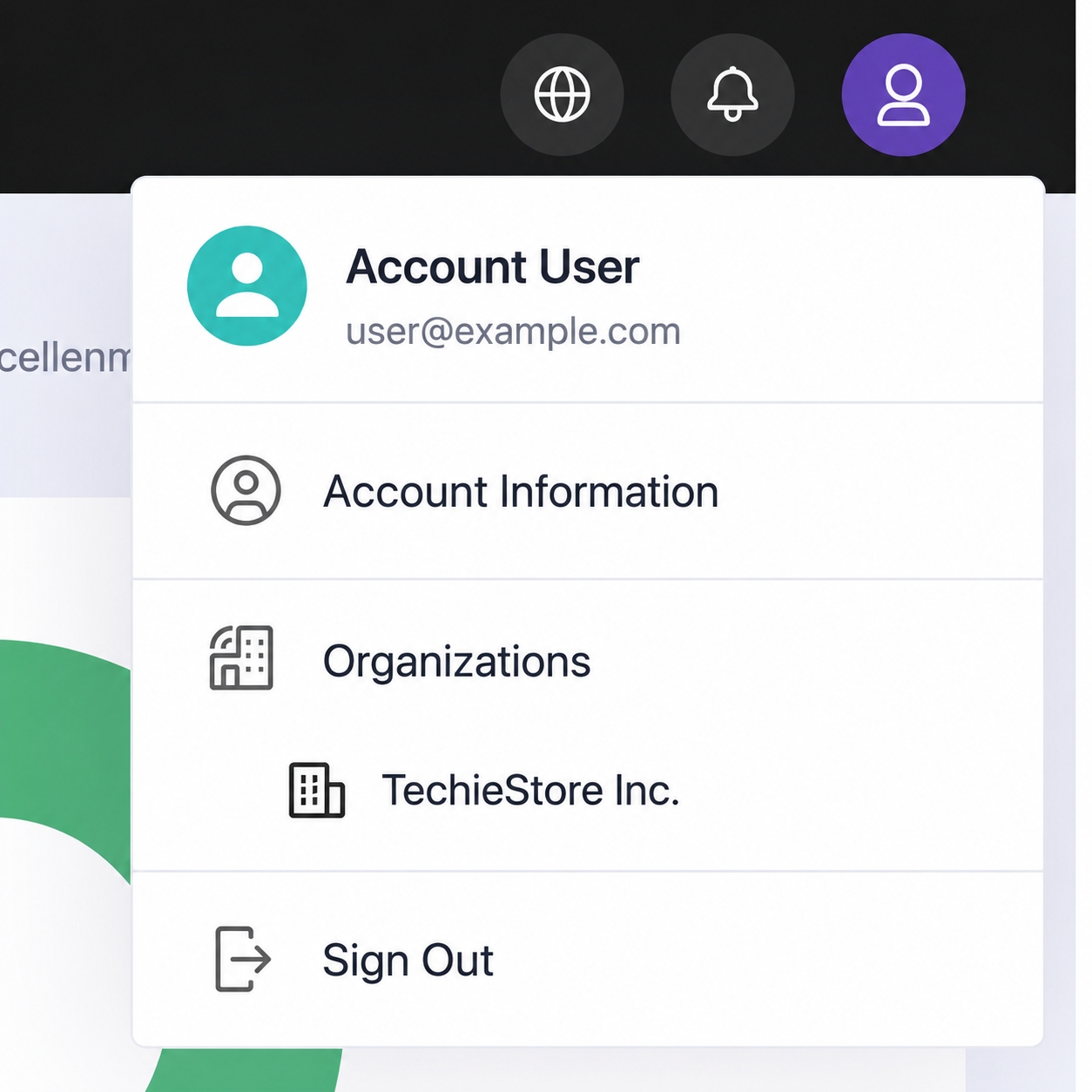
Account settings can be accessed from the profile menu located in the upper-right corner of the application.
Users can manage their personal profile information, change account preferences, and switch between organizations or supported interface languages where applicable.
The following account information can be updated:
The Organization section contains information and management options related to the active organization.
Depending on user permissions, the following operations may be available:
