The Feeds module in Lidia PIM enables product data stored in the PIM to be prepared and distributed to external systems and sales channels in the formats they require.
Feeds act as a bridge between Lidia PIM and marketplaces, e-commerce platforms, ERP systems, advertising platforms, integration services, and other third-party systems. Users can structure product, variant, price, stock, category, trademark, image, and other catalog information according to the requirements of the target system.
When a feed is created, Lidia PIM prepares the selected product data according to the configured structure and generates shareable feed URLs. This allows product information to be managed from a single source and consistently shared with multiple external systems.
Feed Formats
Lidia PIM provides three main configuration options when creating a feed:
✓
Google Shopping Format
Google Shopping Format provides a ready-to-use template based on the
XML structure expected by Google Merchant Center. Required group
structures and basic field mappings are automatically created by the
system and can be customized when needed.
✓
Lidia PIM Format
Lidia PIM Format provides a predefined structure for distributing PIM
data such as products, variants, images, documents, categories,
trademarks, properties, and options in a hierarchical format.
✓
Manual Configuration
Manual Configuration allows users to create groups, subgroups, and
fields from scratch without using a predefined template. This option
is suitable when a fully customized output structure is required for
a specific external system.
Activate or deactivate the feed depending on whether it should be
available for use.
✓
Access Permissions
Manage access permissions and control how the feed can be accessed by
external systems.
✓
Access Keys
Create and manage multiple access keys for controlled feed access.
✓
Feed URLs
Use automatically generated JSON, XML, and CSV URLs to share feed
outputs with external systems.
✓
GZIP Compression
Enable GZIP compression to reduce the size of generated feed outputs.
✓
Empty Value Management
Control whether fields with empty values should be included in the
generated feed.
✓
Whitespace Cleanup
Remove unnecessary whitespace from text values before data is included
in the feed output.
✓
Cache & Date Settings
Configure caching behavior and date formatting according to integration
requirements.
Filtering and Data Selection
✓
Categories
Include products belonging to selected categories.
✓
Trademarks
Filter feed records according to selected trademarks.
✓
Custom Lists
Include product groups defined within selected Custom Lists.
✓
Properties
Filter products and variants according to their property values.
✓
Option Values
Select records according to specific product or variant option values.
✓
Tags
Use product and variant tags to determine which records are included.
✓
Product Status
Include or exclude products according to their current status.
✓
Variant Status
Control which variants are included based on their current status.
Usage Rules & Tips
Field Mapping and Customization
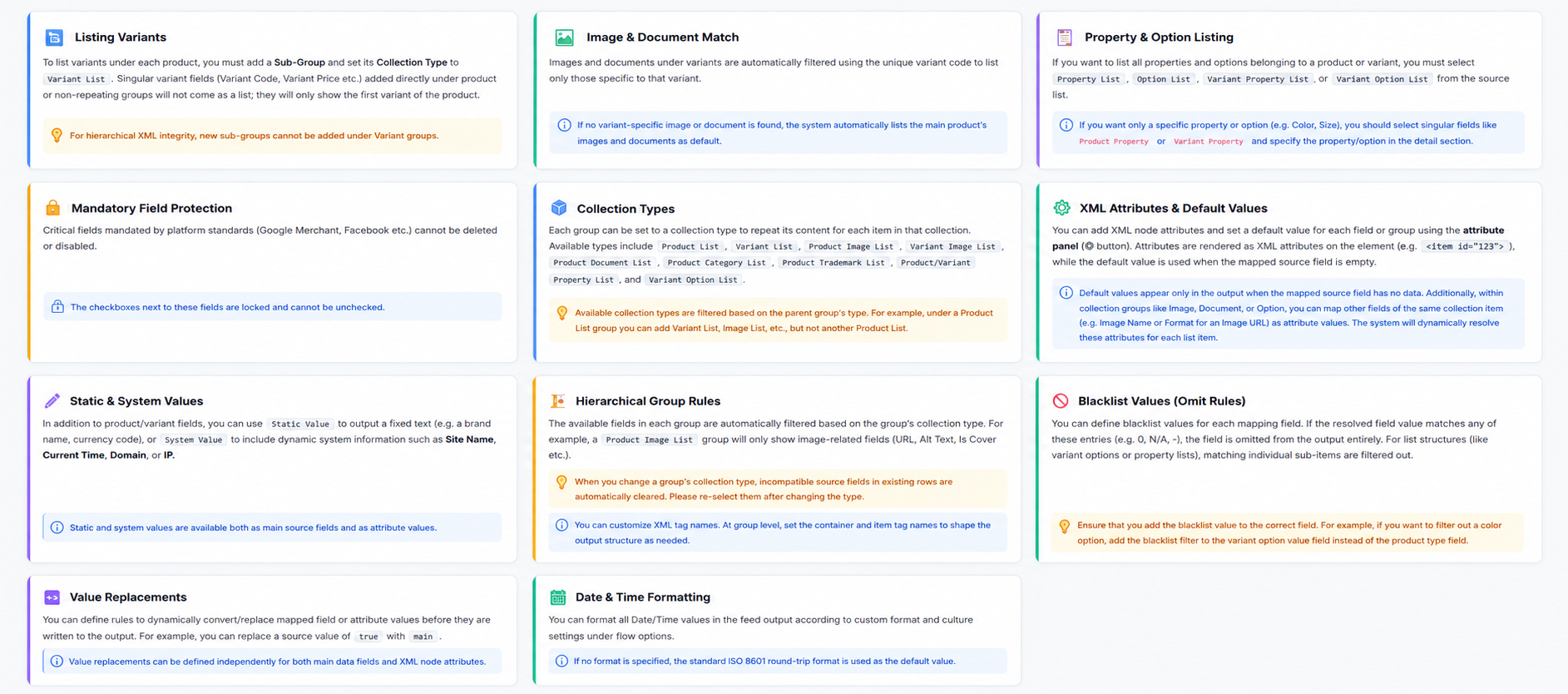
Feed output structures are created using
Groups, Subgroups, and Fields.
Users can determine which Lidia PIM fields should be included in the
output, how those fields should be named, and where they should appear
within the hierarchy.
For example, the Product Name field in Lidia PIM can be
mapped to an output field named title.
Product, variant, image, document, category, trademark, property, and
other related data can be organized into separate groups and subgroups.
Group→Subgroup→Field
Users can also further customize the output by defining:
✓
Default Values
Define fallback values to be used when a mapped field does not contain
data.
✓
XML Attributes
Configure XML-specific attributes according to the requirements of the
target system.
✓
Blacklisted Values
Exclude specified values from the generated feed output.
✓
Value Transformations
Transform source values before they are included in the generated
output.
These configurations make it possible to adapt the generated feed to the
structure and data requirements of different external systems.
Sharing Feeds with External Systems
Feed outputs can be accessed in JSON, XML, and CSV formats.
Lidia PIM automatically generates the relevant sharing URLs for each feed. Users can copy the URL corresponding to the format supported by the target platform and use it directly within the external system or integration process.
As product information is updated in Lidia PIM, the same feed structure can continue to provide external systems with current and consistent product data.